
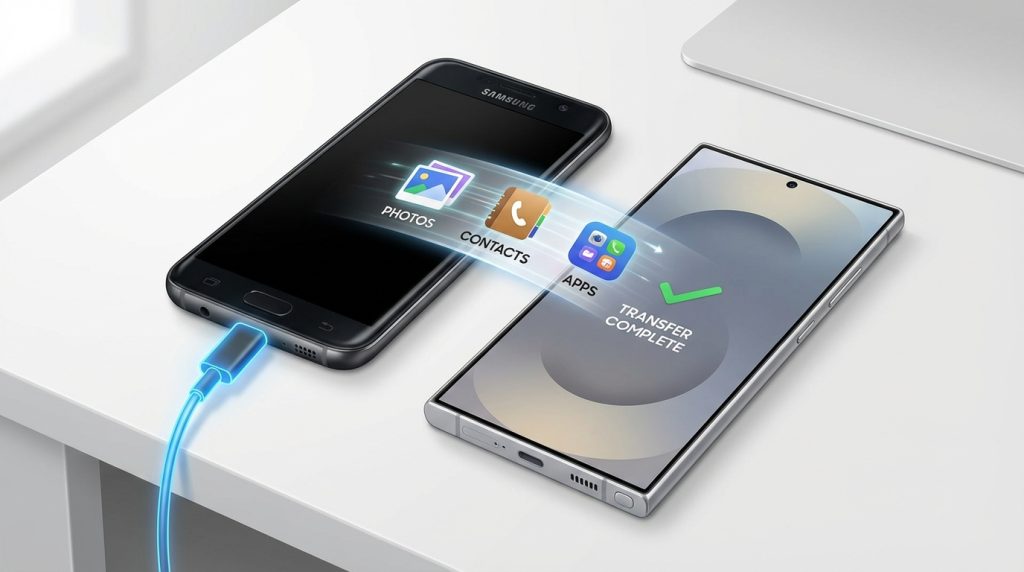
Upgrading to a brand-new Samsung Galaxy S25 Ultra is exciting. You get cutting-edge performance, an advanced camera system, and a stunning display. But the excitement can quickly turn into frustration if your data transfer goes wrong—missing photos, broken apps, or lost contacts are common issues during phone migration.
Beyond data transfer, there’s another factor many users overlook in the excitement of a new purchase: protecting the device from day one. Given the premium cost of Samsung flagships, investing in an extended warranty for Samsung phone and damage protection for Samsung Galaxy—from a trusted provider like GoWarranty—is a smart move for long-term peace of mind.
What to Do Before Transferring Data
Backing Up Your Old Samsung Phone
Before starting the transfer, backing up your old phone is essential. Even the most reliable transfer tools can face interruptions due to connectivity or battery issues. A backup ensures that your data remains safe no matter what happens.
Use Samsung Cloud or Google Backup to secure your contacts, photos, messages, apps, and settings. This step acts as a safety net and makes restoring data much faster if something goes wrong during the migration.
Preparing the S25 Ultra for Setup
Preparation plays a major role in a glitch-free transfer. Fully charge both phones, update them to the latest software versions, and ensure a stable Wi-Fi connection. Make sure the S25 Ultra has enough free storage to accommodate all incoming data.
Temporarily disabling battery optimization and power-saving modes helps prevent background interruptions during the transfer process.
Best Ways to Transfer Data to S25 Ultra Without Glitches
Using Samsung Smart Switch
Samsung Smart Switch is the most reliable method for transferring data between Samsung devices. It supports apps, contacts, messages, photos, videos, call logs, and even system settings.
You can transfer data wirelessly or use a cable for faster and more stable results. For large data volumes, wired transfer is recommended as it minimizes the risk of connection drops and incomplete transfers.
Transferring Data via Google Backup
Google Backup is another effective option, especially if you’re switching from an older Android device. Once you sign in with your Google account on the S25 Ultra, contacts, apps, and basic settings begin restoring automatically.
While convenient, this method depends heavily on internet speed and may take longer compared to Smart Switch. It works best as a secondary backup or supplementary method.
Wired vs Wireless Transfer Methods
Wired transfers are faster and more stable, especially for large files like videos and high-resolution photos. Wireless transfers are convenient but more prone to interruptions if Wi-Fi strength fluctuates.
Choosing the right method based on your data size can save time and prevent glitches.
Common Data Transfer Issues and How to Avoid Them
Incomplete Transfers and App Errors
Some apps may not transfer correctly due to compatibility issues or outdated versions. Social media apps, banking apps, and secure folders may require manual re-login or reinstallation.
Keeping both phones updated and avoiding background app activity during transfer helps reduce these issues.
Network, Storage, and Battery Issues
Weak Wi-Fi, low battery levels, or insufficient storage are common reasons for failed transfers. Always ensure both devices have more than 50% battery and uninterrupted connectivity before starting.
Overheating during long transfers can also cause interruptions, so keep devices in a cool environment.
Post-Transfer Checklist for Your New S25 Ultra
Verifying Apps, Contacts, and Media
Once the transfer is complete, check that all contacts, photos, videos, and messages are present. Open essential apps to ensure they work correctly and sync any remaining cloud data.
Catching missing data early makes recovery much easier.
Security, Updates, and Optimization
Enable biometric security, update the system software, and optimize battery settings. Activating features like “Find My Mobile” adds another layer of protection in case the device is lost.
Why Your New S25 Ultra Needs Protection from Day One
Risks During Setup and Early Usage
New phones are most vulnerable during the first few weeks. Accidental drops during setup, charging-related power surges, and frequent handling significantly increase damage risk.
Screen damage or internal issues during this phase can lead to costly repairs.
Cost of Repairs for Premium Samsung Phones
Samsung flagship repairs are expensive. AMOLED display replacements, motherboard repairs, and camera module fixes can cost a significant portion of the phone’s price.
This makes an extended warranty for Samsung phone a practical investment rather than an optional add-on.
Importance of Extended Warranty for Samsung Phone
Coverage Beyond Standard Samsung Warranty
The standard manufacturer warranty is limited in duration and scope. An extended warranty for Samsung phone continues coverage after the original warranty expires, protecting key internal components.
It ensures predictable ownership costs and protects against unexpected repair expenses.
Protection Against Hardware and Software Issues
Extended coverage often includes protection against hardware failures and system issues that can arise over time, reducing downtime and stress.
Role of Damage Protection for Samsung Galaxy
Protection from Drops, Screen Damage, and Power Surges
Damage protection for Samsung Galaxy covers real-world risks such as accidental drops, cracked screens, liquid damage, and electrical surges—issues typically excluded from standard warranties.
Ideal Coverage for Flagship Devices
Flagship phones like the S25 Ultra use premium materials and advanced components. Their repair costs justify having comprehensive damage protection from the beginning.
Why Choose GoWarranty for Samsung Phone Protection
Comprehensive Coverage Plans
GoWarranty offers flexible and cost-effective plans tailored for Samsung Galaxy devices. Coverage includes major components and common damage scenarios, making it ideal for premium phone users.
Easy Claims and Reliable Service Support
With a simplified claims process and access to a reliable repair network, GoWarranty reduces the hassle often associated with phone repairs and warranty claims.
Conclusion
A smooth data transfer sets the foundation for an enjoyable experience with your new Samsung Galaxy S25 Ultra. Taking the right preparation steps ensures your data moves safely and without glitches.
At the same time, protecting your investment with an extended warranty for Samsung phone and damage protection for Samsung Galaxy is essential in today’s high-cost repair environment. With dependable coverage from GoWarranty, you can enjoy your new S25 Ultra confidently—without worrying about unexpected damage or repair bills.